Looking for an easy way to Level Up! accessibility in your online course? Join us for a four‑week challenge, starting March 2, designed to make accessibility improvements simple and doable—one small step at a time.
How it works: Each week, you’ll receive two short prompts with:
- a quick overview of one accessibility topic,
- a bite‑sized action you can complete in minutes, and
- recommendations for planning ahead for next semester.
Whether you’re new to accessibility or already familiar, the Challenge offers practical wins that fit your schedule, as well as the opportunity to earn a certificate for successful completion.
The challenge is open to CUNY SPS faculty and staff, and you can sign up by enrolling in the Level Up! Accessibility Challenge Brightspace site. The site will open on March 2, but sign up now to join!
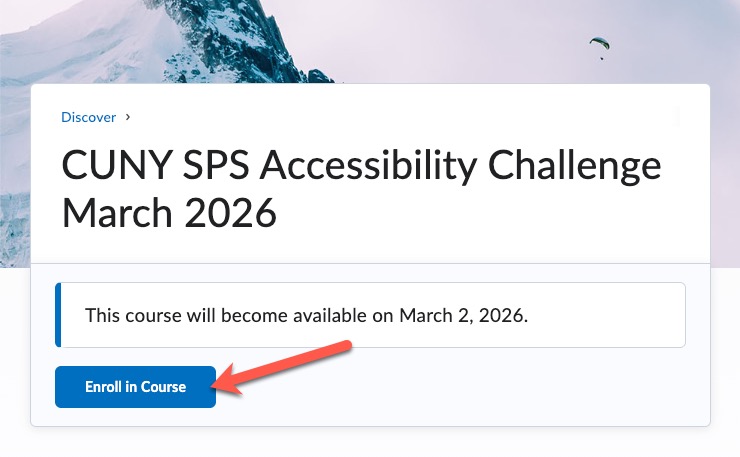
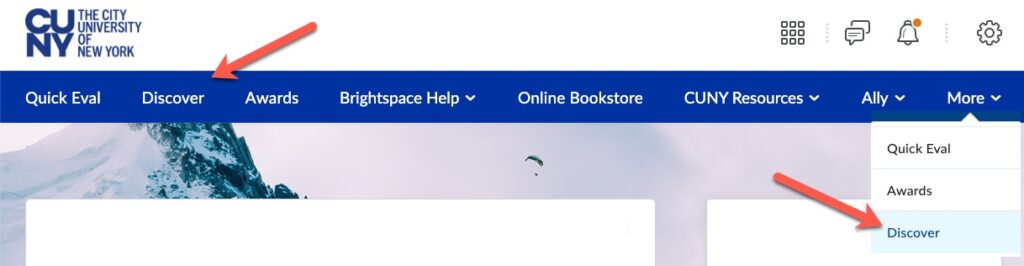
If you are having any difficulty with the direct link to the Challenge Brightspace site, you may also follow these instructions:
First, from the Brightspace home page, select Discover. If you don’t see the Discover option, it may be in the More menu.
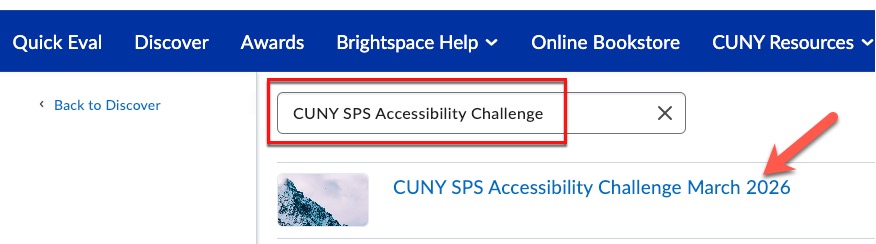
Next, in the list of courses, look for “CUNY SPS Accessibility Challenge March 2026” or search for any part of the title. The display and search may take a few seconds. Select the course once it appears.
Questions? Contact us at facultysupport@sps.cuny.edu.
